> For the complete documentation index, see [llms.txt](https://igb.mit.edu/llms.txt). Markdown versions of documentation pages are available by appending `.md` to page URLs; this page is available as [Markdown](https://igb.mit.edu/mini-courses/research-computing-on-engaging-with-vscode/connecting-to-engaging-via-ondemand/interactive-apps/engaging-desktop.md).
# Engaging Desktop
The Engaging Deskop option allows you to access the cluster from a virtual desktop environment in your browser. Before starting the desktop environment, you must configure the resource usage in the form below.
After filling out the form with the appropriate information, hit launch to queue launching the desktop environment on the Engaging compute nodes.
While the job is in the queue, you'll see the following page, which contains basic information about the application you've launched, and will allow you to delete it from the queue.
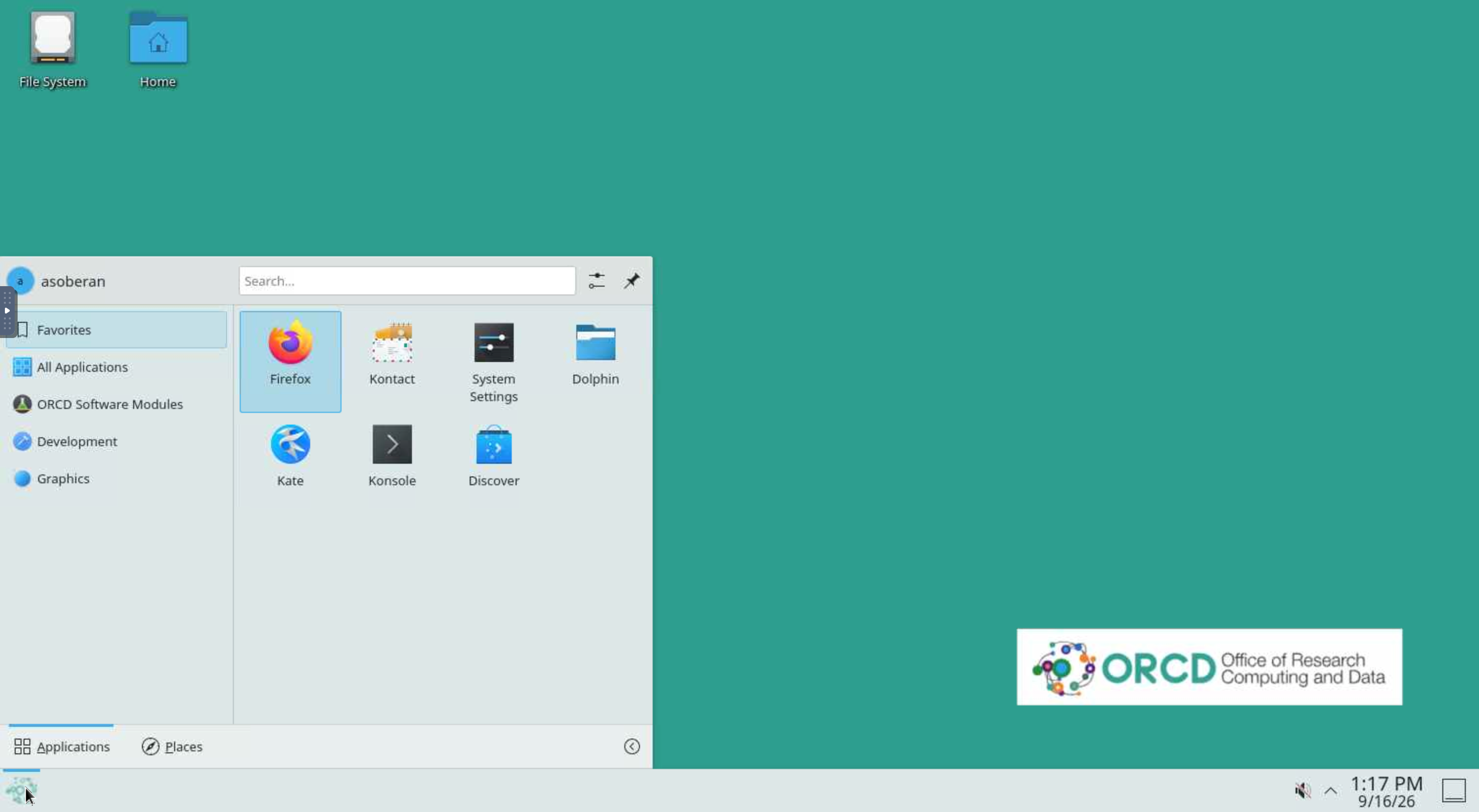
Once the application has been launched, the page will update to include some basic settings and the "Launch Engaging Desktop" button. Pressing that will open the desktop environment in a new browser tab.
The desktop environment is [KDE's Plasma Desktop](https://kde.org/plasma-desktop/). It includes basic desktop applications, such as:
1. Firefox
2. Dolphin (a file manager)
3. Kate (a text editor similar to Notepad++)
4. Konsole (a terminal)
5. Mathematica
6. MATLAB
All of these can be accessed from the application launcher on the bottom left of the screen.