> For the complete documentation index, see [llms.txt](https://igb.mit.edu/llms.txt). Markdown versions of documentation pages are available by appending `.md` to page URLs; this page is available as [Markdown](https://igb.mit.edu/mini-courses/python/data-processing-with-python/pandas/slicing-dataframes.md).
# Slicing DataFrames
You can access subsets of your dataframe (views) in a few different ways, but we will focus on two here.
Name-based indexing
```
You provide a row_index and a column_index - they can be slices or lists or whatever to the .loc[row_names, col_names] indexer
example: [your_dataframe_name].loc[my_row_names, my col_names].
```
Index-based indexing
```
You provide the row and column numbers to the .iloc[row_numbers, col_numbers]
example: [your_dataframe_name].iloc[my_row_numbers, my col_numbers]
```
```
ms.loc[:,'Protein Name'] #get all row (:), 'Protein Name' column
```
```
#How would you get the first 10 rows using .loc (note that here the row "names" are just numbers
```
```
ms.loc[:9, 'Protein Name']
```
```
ms.loc[0:10,['Protein Name', 'Protein Gene']] #what will this return?
```
```
# Note that you can pass any list of column names to the column indexer
ms.loc[:8,[col for col in ms.columns if "Protein" in col]] #what is this doing?
```
Side topic: get familiar with \[[List Comprehension](https://www.w3schools.com/python/python_lists_comprehension.asp)]
```
my_list =[ ]
for col in ms.columns:
if "Protein" in col:
my_list.append(col)
```
```
my_list
```
\['Protein Name', 'Protein Preferred Name', 'Protein Gene']
```
my_list = [col for col in ms.columns if "Protein" in col]
```
```
my_list
```
\['Protein Name', 'Protein Preferred Name', 'Protein Gene']
```
ms.loc[:5,my_list] #what is this doing?
```
```
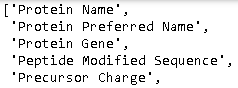
list(ms.columns) #this provides the full list of the columns in the dataframe
```
```
# write a line to access all columns related to sample BT2_HFX_6
ms.loc[:,[col for col in ms.columns if "BT2_HFX_6" in col]]
```
```
# Now let's try indexing with .iloc
ms.iloc[:5,3:9] #note the difference in how iloc and loc work!>
```
```
ms.iloc[:20,'Precursor Charge'] #Will this work?
```
```
ms.iloc[:20,4]
```